 English
 Polish
 Français

Overview
The age verification gate shows visitors an age-confirmation screen before they can access the store. It is built for industries where the law requires confirming the customer's age: alcohol, tobacco, vaping, CBD and hemp products, and adult goods.
What the module does
Key features
- Two verification modes: click (Yes/No) or date of birth
- Configurable minimum age with {age} substitution in texts
- Cookie-based consent memory (configurable days)
- Multilingual titles, messages and buttons
- Redirect underage visitors to a chosen URL
- Customization: colors, logo, background image, modal width and radius, blur
- Limit to selected categories and their products
- Exclude specific pages/controllers (e.g. contact, terms, account)
- Country filter (only selected / all except selected) via geolocation
- SEO-friendly — never blocks search engine crawlers
- Multistore compatible, translations PL/EN/DE/FR/IT
Requirements
- PrestaShop 1.7.x, 8.x or 9.x
- PHP 7.1 – 8.4
- ionCube Loader extension (to run the module's protected code)
Installation
- In the admin panel go to Modules → Module Manager → Upload a module.
- Select the
p4u_agegate.zipfile and install it. - Click Configure next to the module.
- In the License tab enter a key in the P4U-AGEG-XXXX-XXXX-XXXX-XXXX format.
- Done — the gate works immediately, with no theme changes.
Configuration
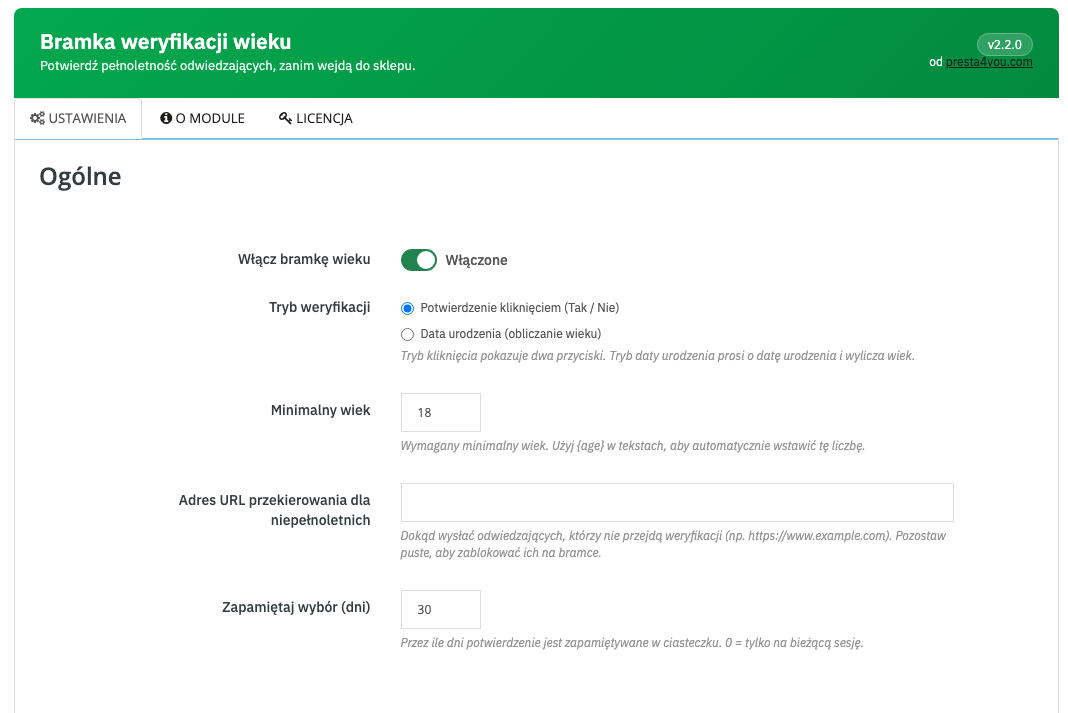
Configuration is split into four panels: General, Texts, Appearance and Scope & exceptions.
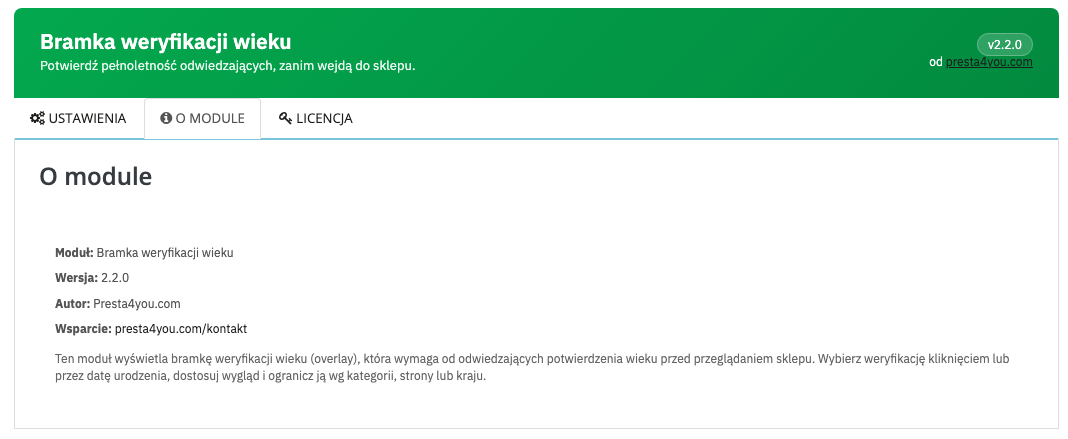
The About tab shows the version and support information.
Verification modes
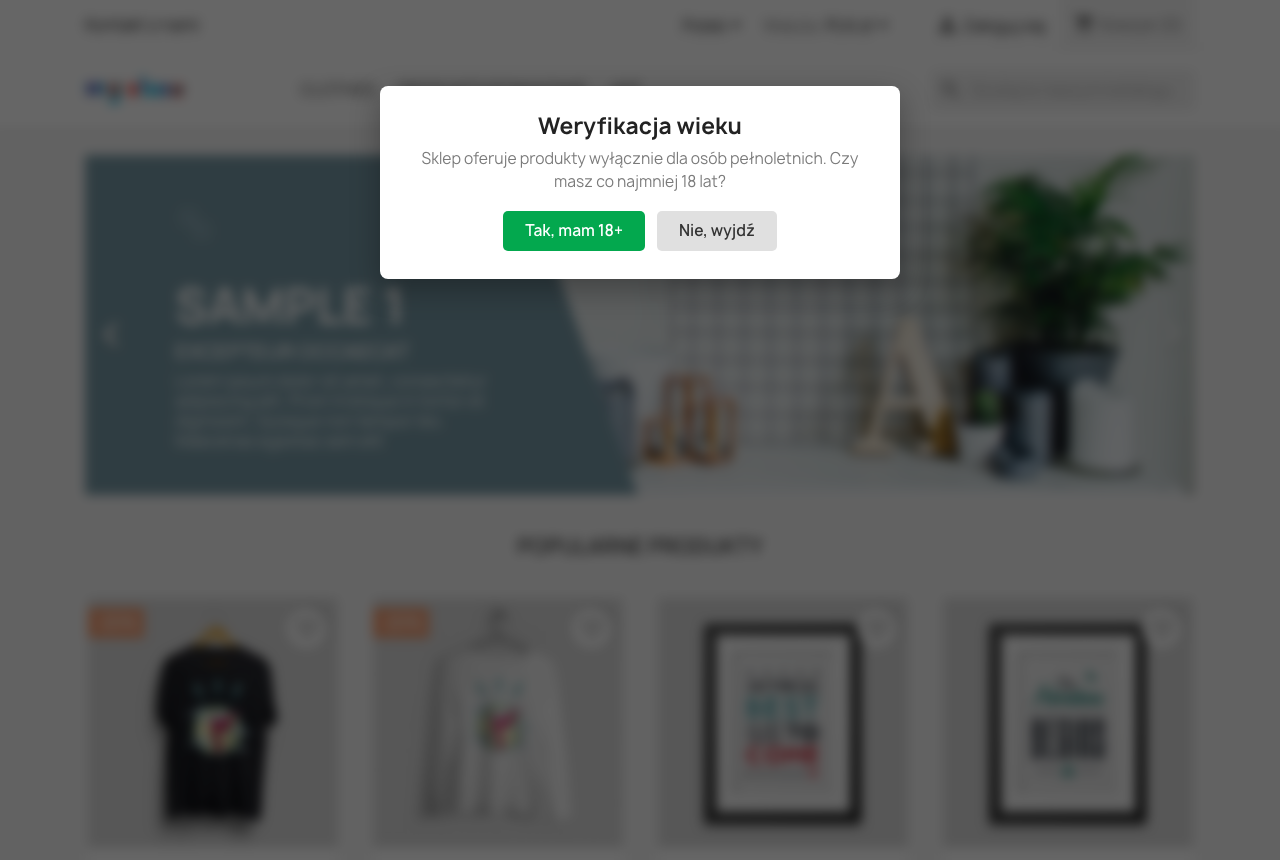
Click mode
The visitor confirms their age with a single click on "Yes, I'm 18+". Declining redirects them to a chosen URL or keeps them on the gate.
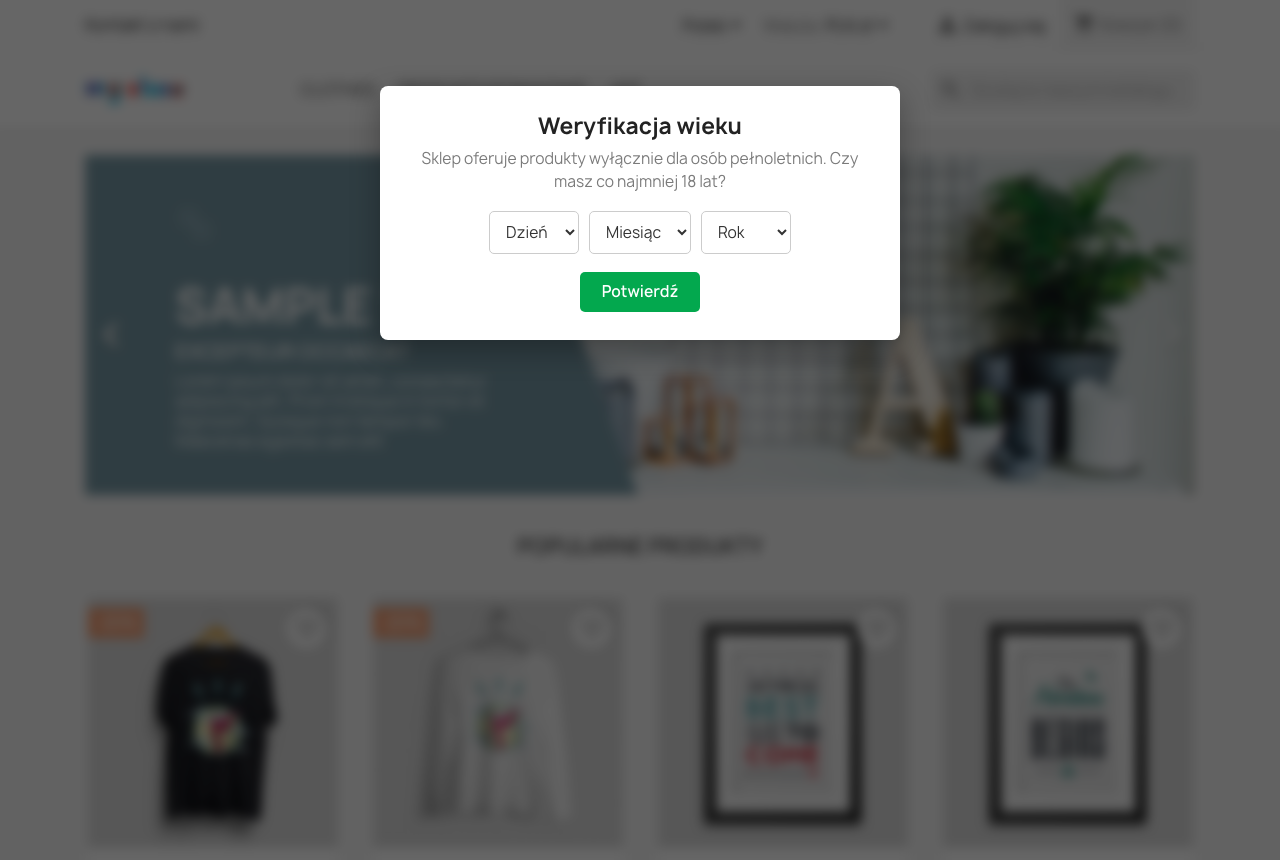
Date-of-birth mode
The visitor enters day, month and year of birth. The module computes the age and compares it with the configured threshold — if the visitor is too young, an error is shown and (optionally) they are redirected.
Appearance
Match the gate to your brand: backdrop, modal, text and button colors, a logo in the modal, a full-screen background image, modal width and corner radius, and a blur effect behind the gate.
Scope & exceptions
By default the gate appears across the whole store. You can narrow it:
- Selected categories only — the gate appears only on those categories and their products.
- Excluded pages — list controller names (e.g.
cms,contact,my-account,authentication) where the gate must not appear. - Country filter — show the gate only in selected countries, or in all except selected ones (requires PrestaShop geolocation).
What the visitor sees
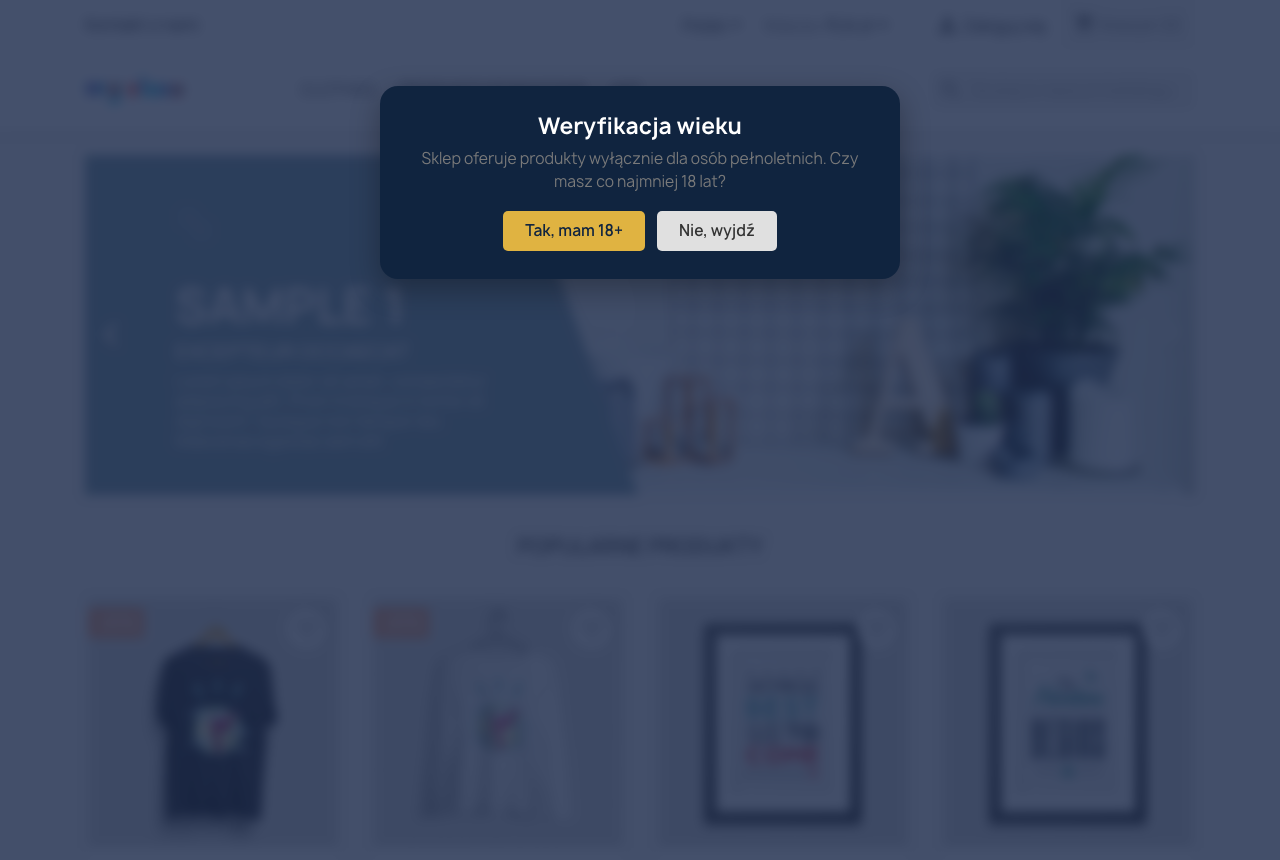
On the first visit the customer sees the age verification popup dimming the store. After confirming, the popup disappears and the choice is remembered — the gate will not reappear until the cookie expires.
FAQ
Will the gate hurt my SEO?
No. The popup is rendered client-side, so search engine crawlers receive the full page content and never see a block.
Can I set an age other than 18?
Yes. The minimum age is configurable (e.g. 16, 18, 21). The {age} placeholder in the texts will insert the configured number automatically.
Does the gate appear on every visit?
No. After confirmation the choice is stored in a cookie for a set number of days. A value of 0 means it is remembered only for the current session.
Does the module require theme changes?
No. It works automatically once installed and the license is activated.
Support
Questions? Contact us: presta4you.com/kontakt or e-mail info@presta4you.com.
Everything described in this documentation is handled by the Age Verification 18+ — Age Gate module. Installation takes a few minutes and the configuration works exactly as described above.
View the module in the storeUpdates and technical support · VAT invoice