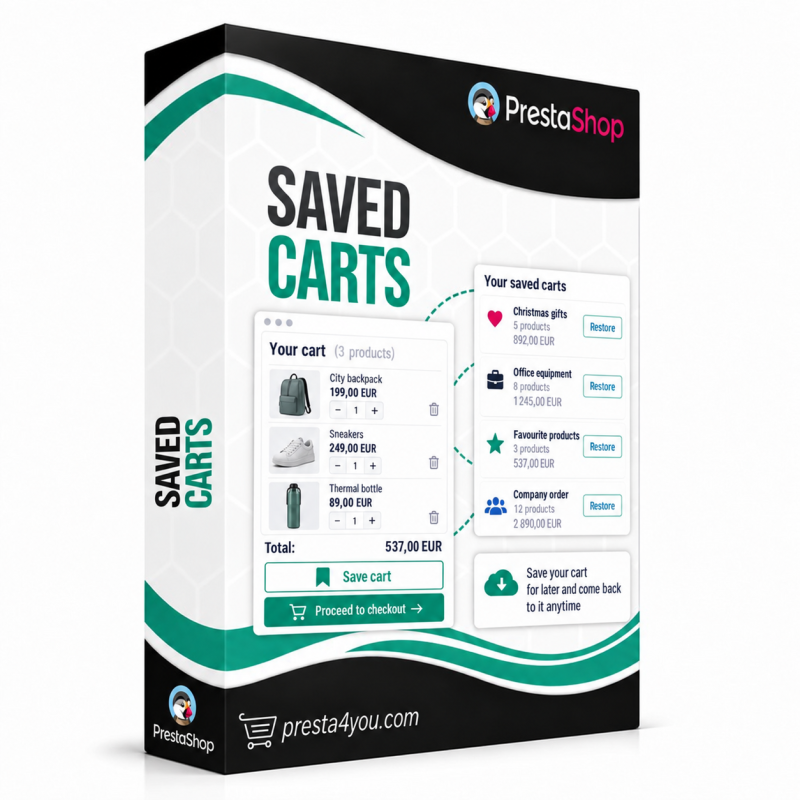
Saved Carts

Saved carts for your customers: save and restore carts, multiple named shopping lists, share by link and e-mail, PDF and CSV export, customer panel with statistics.

PrestaShop 1.6 PrestaShop 1.7 PrestaShop 8.x PrestaShop 9.x ionCube
Licencja: Dożywotnia dla 1 sklepu
149,00 zł netto
(183.27 zł brutto)
Natychmiastowe pobieranie
12 miesięcy wsparcia
Zwrot 14 dni

Need help?

Our team is ready to answer all your questions.

Get in touch

Don't let an abandoned cart mean a lost sale

A customer builds a cart but doesn't check out — they hesitate, compare, or simply run out of time. When they come back, the cart is usually empty and they have to search for everything again. That is one of the most common causes of cart abandonment.

The Saved Carts module lets customers save a cart in one click and return to it anytime, create multiple named shopping lists, share a cart by link or e-mail, and download it as PDF or CSV. Plus a customer panel with search, an admin panel with statistics, and fully protected premium code.

Module capabilities

Save and restore carts

Customers save their cart from the cart page in one click and restore it later — replacing the current cart or adding to it. Nothing gets lost.

Multiple named carts and notes

Customers create multiple shopping lists with their own names and notes, rename them and edit notes — perfect for planning purchases and B2B ordering.

Share by link and e-mail NEW 1.3

Customers share a saved cart via a private link or send it by e-mail. The recipient sees the cart and adds its products to their own — great for gifts and company purchases.

Append to a saved cart

Products from the current cart can be appended to a previously saved list — summing or skipping duplicates. The shopping list grows with the customer's needs.

PDF and CSV export

Customers download a saved cart as a clean PDF or a CSV spreadsheet (Excel-friendly) with the product list, prices and a summary.

Search and sort

On the "My Saved Carts" page customers quickly find the right list — with a name search and sorting by date, name or value.

Save button on the product page NEW 1.3

An optional "Save cart" button also appears on product pages — customers save their cart without opening it first.

Restrict to customer groups

Enable saved carts only for selected customer groups — e.g. wholesalers or B2B customers. Configurable per-customer cart limit.

Admin panel and statistics

A full list of every customer's saved carts, a detail view, KPI statistics (today, week, month) and a ranking of the most active customers.

Multilingual, multistore and secure

Full multi-language and multistore support, a 100% Polish admin panel, automatic updates from the panel and protected premium code (ionCube) with abuse protection.

Product Details

Data sheet

Kompatybilność
PrestaShop 1.6, PrestaShop 1.7, PrestaShop 8.x, PrestaShop 9.x
ionCube
Tak

Frequently asked questions

How does a customer save and restore a cart?
A "Save cart" button appears on the cart page (and optionally on the product page). The customer gives the cart a name and an optional note. They restore it later in one click from the "My Saved Carts" panel — replacing the current cart or adding to it.
How does sharing a cart by link work?
The customer generates a private, unguessable link to their saved cart and can copy it or send it by e-mail. Whoever opens the link sees the cart and can add its products to their own cart. The link can expire after a set number of days, and sharing can be disabled at any time.
Does the recipient of a shared cart need an account?
No. A shared cart opens via a public link and its products go into the recipient's cart whether or not they are logged in. The owner's cart is never modified and their personal data is not disclosed.
What is the difference between "replace" and "add to cart" when restoring?
"Replace" clears the current cart and loads the saved one, while "add to cart" appends the saved products to the current cart. In the settings you decide which options are available to customers — both, replace only, or add only.
Can customers download a cart as PDF or CSV?
Yes. Once the relevant options are enabled, PDF and CSV download buttons appear next to each saved cart. The PDF contains the product list, prices and a summary, and the CSV (UTF-8 encoded) opens correctly in Excel and other spreadsheets.
Can I restrict the module to selected customer groups?
Yes. In the settings you tick the customer groups that get access to saved carts — e.g. B2B customers only. Leaving all unticked allows every group. You can also set a limit on the number of carts per customer.
Are saved carts and links secure?
Yes. Every operation verifies cart ownership, share links use long unguessable tokens, forms are protected by a CSRF token, and share e-mail sending is rate-limited to prevent abuse. The premium code is protected with ionCube.
Does the module work on my PrestaShop version?
Yes — the module is compatible with PrestaShop 1.7, 8 and 9 and runs on PHP from 7.1 to 8.4. The premium code is protected (ionCube) and will not crash the shop even if the server has no loader — the module simply shows a notice and pauses.
Saved Carts
Saved Carts
149,00 zł net