 English
 Polish
 Français

FAQ - frequently asked questions
FAQ on the product, a dedicated FAQ page, "Ask a question", statistics and schema.org — all in one module
v1.4.0Module overview
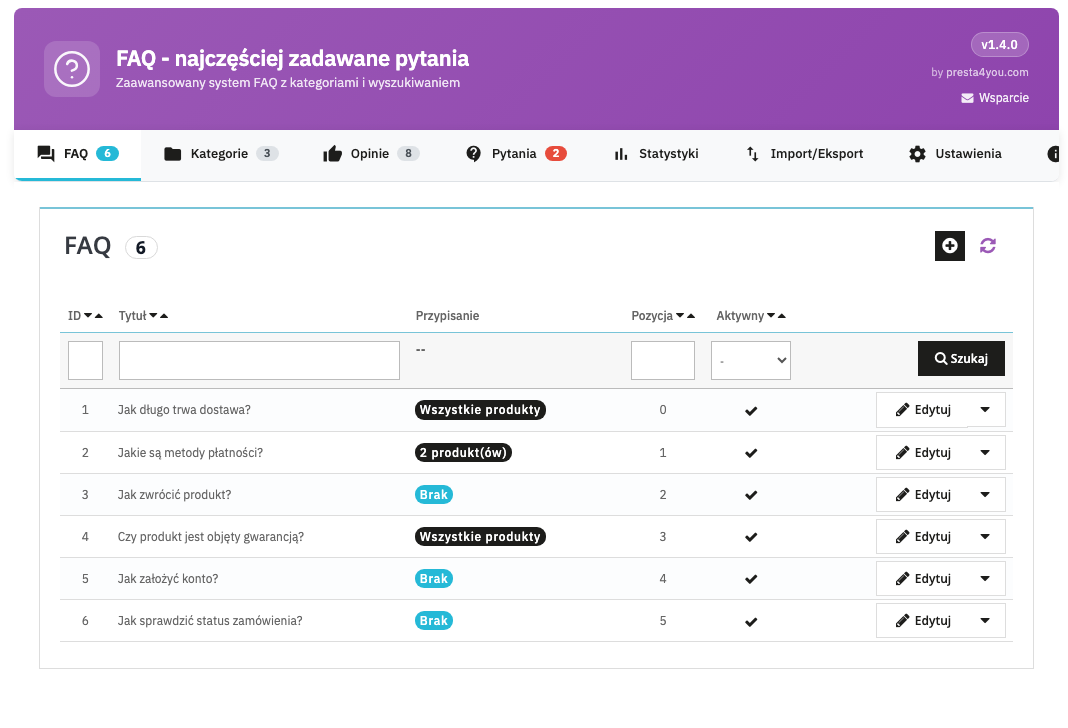
The FAQ module turns customer questions into purchase confidence — and relieves your support team. It adds questions and answers directly on the product page, builds a dedicated FAQ page with categories and a search box, and lets customers ask their own question, which after moderation you publish as an FAQ with a single click.
On top of that come statistics (views, searches, queries with no results), schema.org FAQPage for Google rich results, a configurable FAQ block anywhere in the shop, and CSV import/export. The module is multilingual, multistore-compatible, and the administration panel is 100% in Polish.
Requirements
- PrestaShop 1.7.x / 8.x / 9.x
- PHP 7.1 or newer
- ionCube loader 10+ on the target server (the production version is encoded; the absence of the loader does not crash the shop — the module degrades gracefully with a message)
- Multistore support: yes
Installation
- Download the module's ZIP archive from the customer panel at presta4you.com.
- In the admin panel: Modules → Module Manager → Upload a module.
- Click Configure to go to the settings.
- In the License tab, activate the key in the format
P4U-FAQ-XXXX-XXXX-XXXX-XXXX. - Create categories, add questions and assign them to products.
Configuration
The general settings determine how the FAQ is displayed and how the new features work.
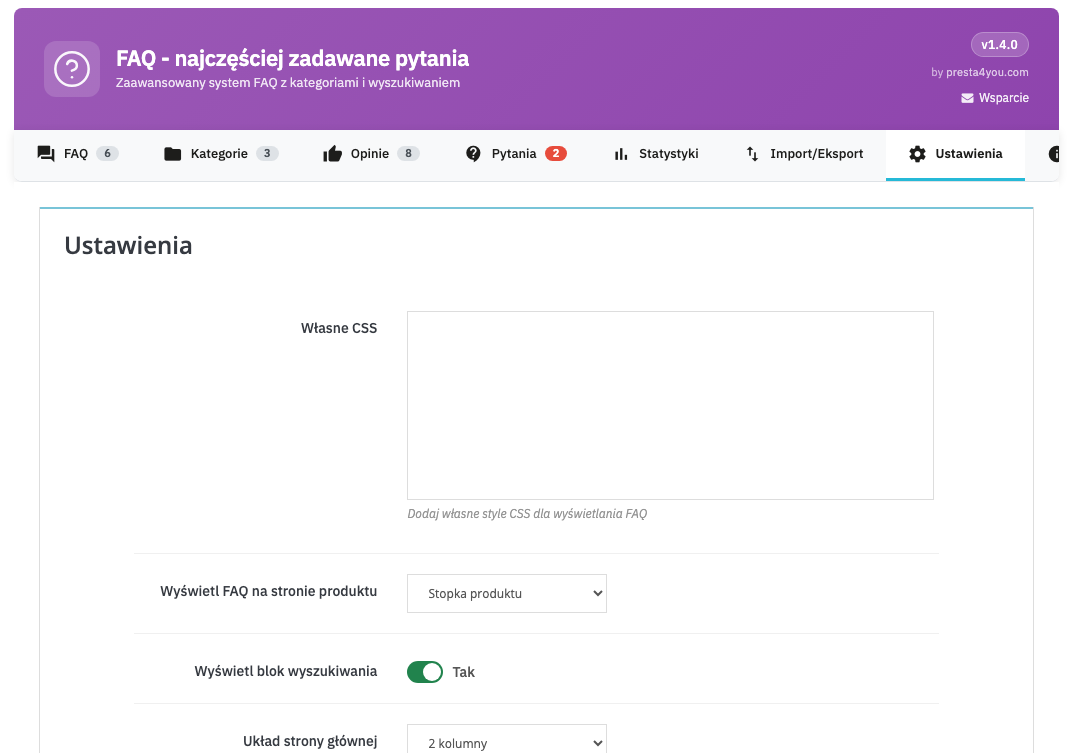
| Setting | Description | Default |
|---|---|---|
| Custom CSS | Additional CSS styles injected on FAQ pages. | — |
| Display FAQ on product page | Presentation mode: button, additional content, footer or product tab. | Button |
| Display the search block | Shows the search field on the FAQ page. | Yes |
| Home page layout | FAQ page in 1 or 2 columns (with a category list). | 2 columns |
| Number of FAQs per page | The number of questions on the FAQ page. | 10 |
| Display assigned products | Under the question, shows a list of the products it concerns. | Yes |
| Schema.org (JSON-LD) | FAQPage structured data on the product page (Google rich results). | Yes |
| Show author | Displays the author's name and bio under the answer (an E-E-A-T signal). | No |
| Show answers expanded | All answers visible by default (better for indexing). | No |
Customer questions — "Ask a question"
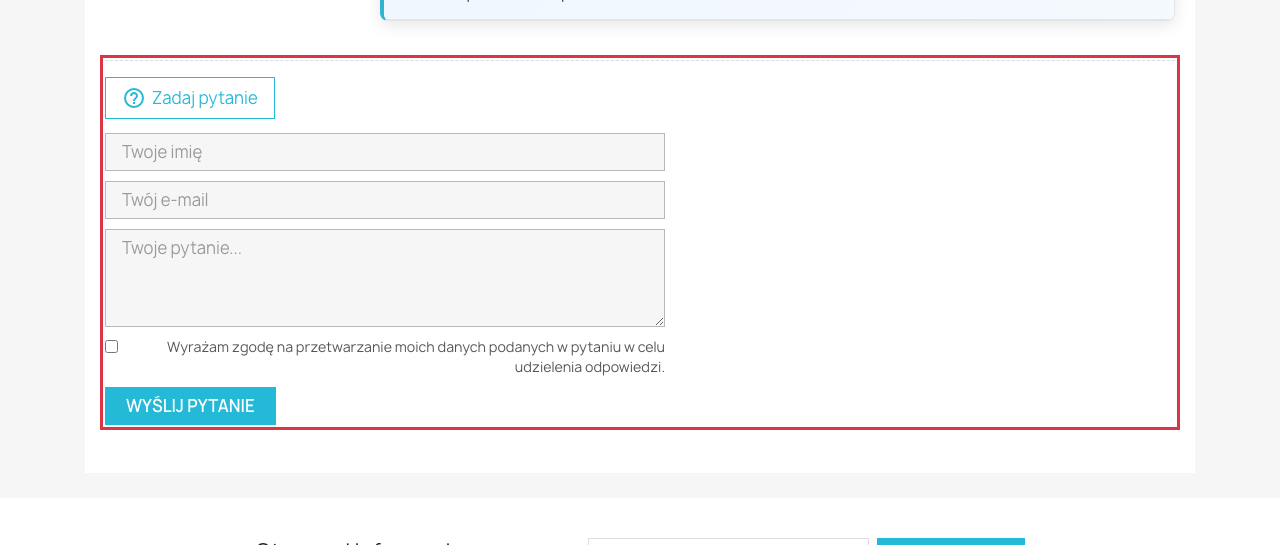
A customer can submit their own question from the product page and the FAQ page. Every submission goes to moderation, and you receive an e-mail notification. The form is protected by a honeypot (anti-spam), a submission limit per IP address and an optional GDPR consent.
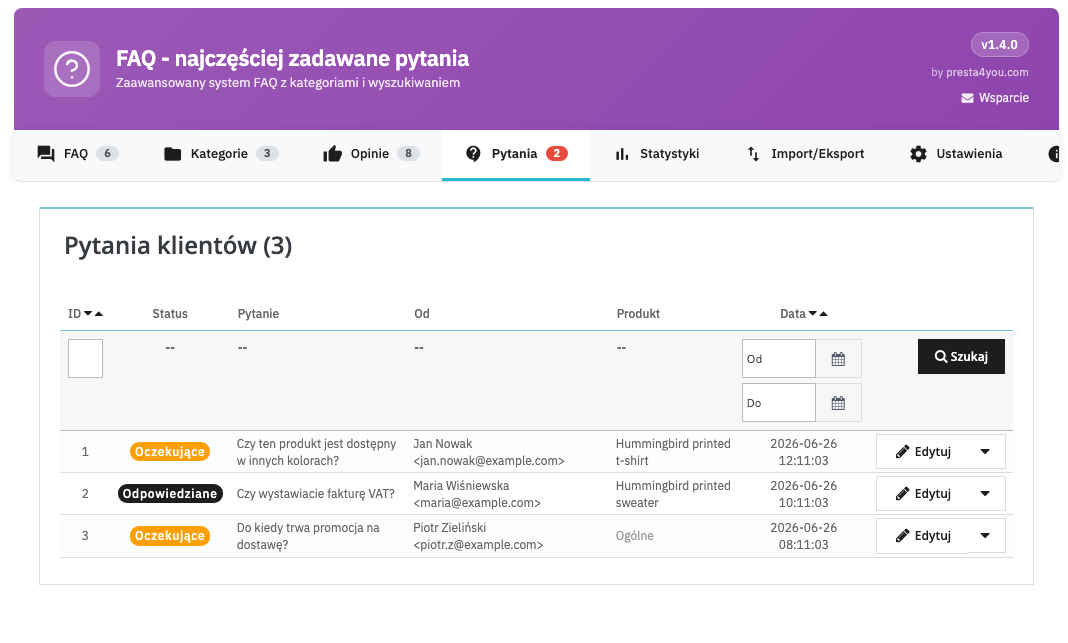
In the answer form you enter the content, set the status and — optionally — send the answer to the customer by e-mail. With the Publish as FAQ button you turn the question into a full-fledged FAQ entry (assigned to the product it concerned).
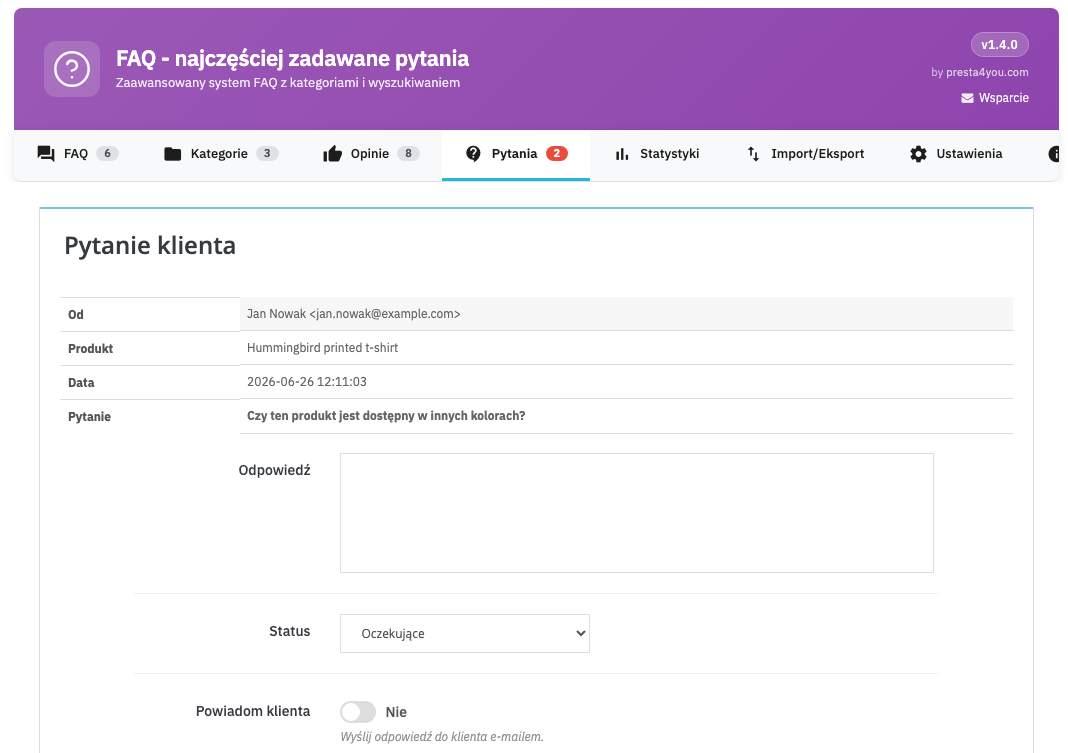
| Setting | Description | Default |
|---|---|---|
| Enable "Ask a question" | Global toggle for the feature. | Yes |
| Show on product pages | The question form on the product page. | Yes |
| Show on the FAQ page | The question form on the dedicated FAQ page. | Yes |
| Require GDPR consent | A data processing consent field in the form. | Yes |
| Notification e-mail | The address to which new questions are sent (empty = shop e-mail). | shop e-mail |
Statistics
The Statistics tab shows how customers use the FAQ: the number of question views, the most frequently searched phrases and — particularly valuable — searches that returned no results. This is a ready-made list of topics for which it is worth adding new questions.
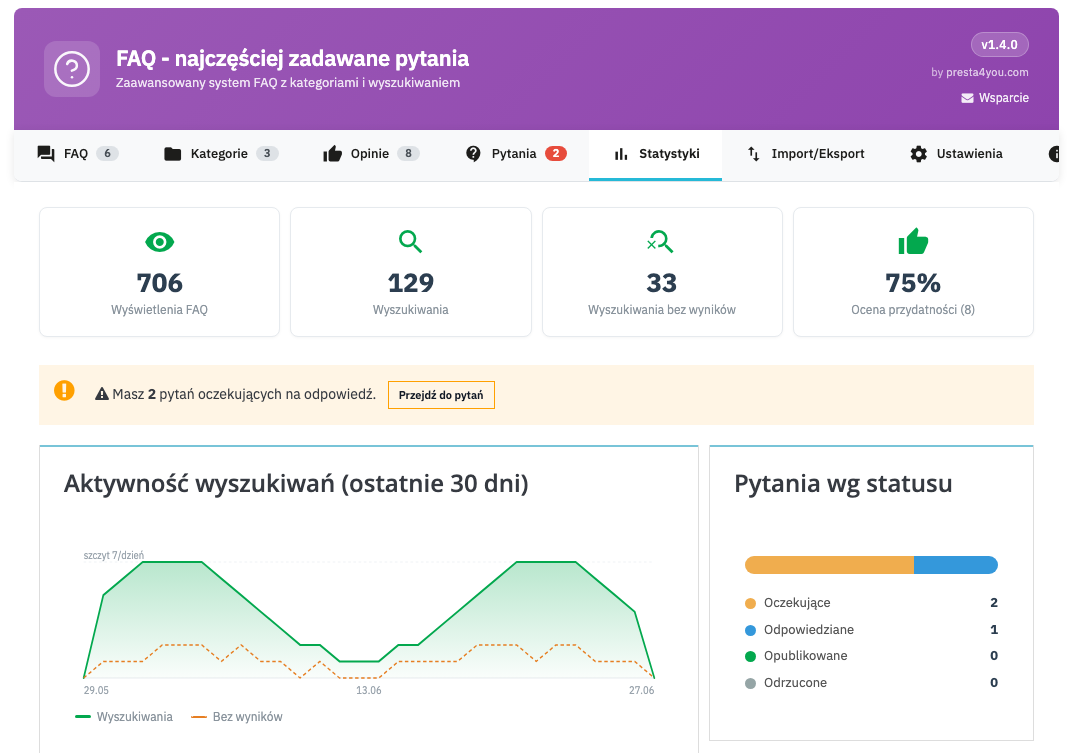
Counting views and saving phrases can be disabled in the settings.
FAQ block and FAQ page
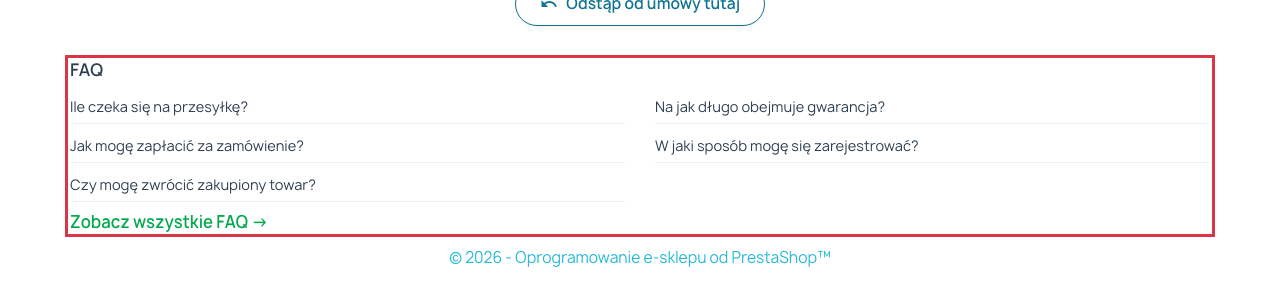
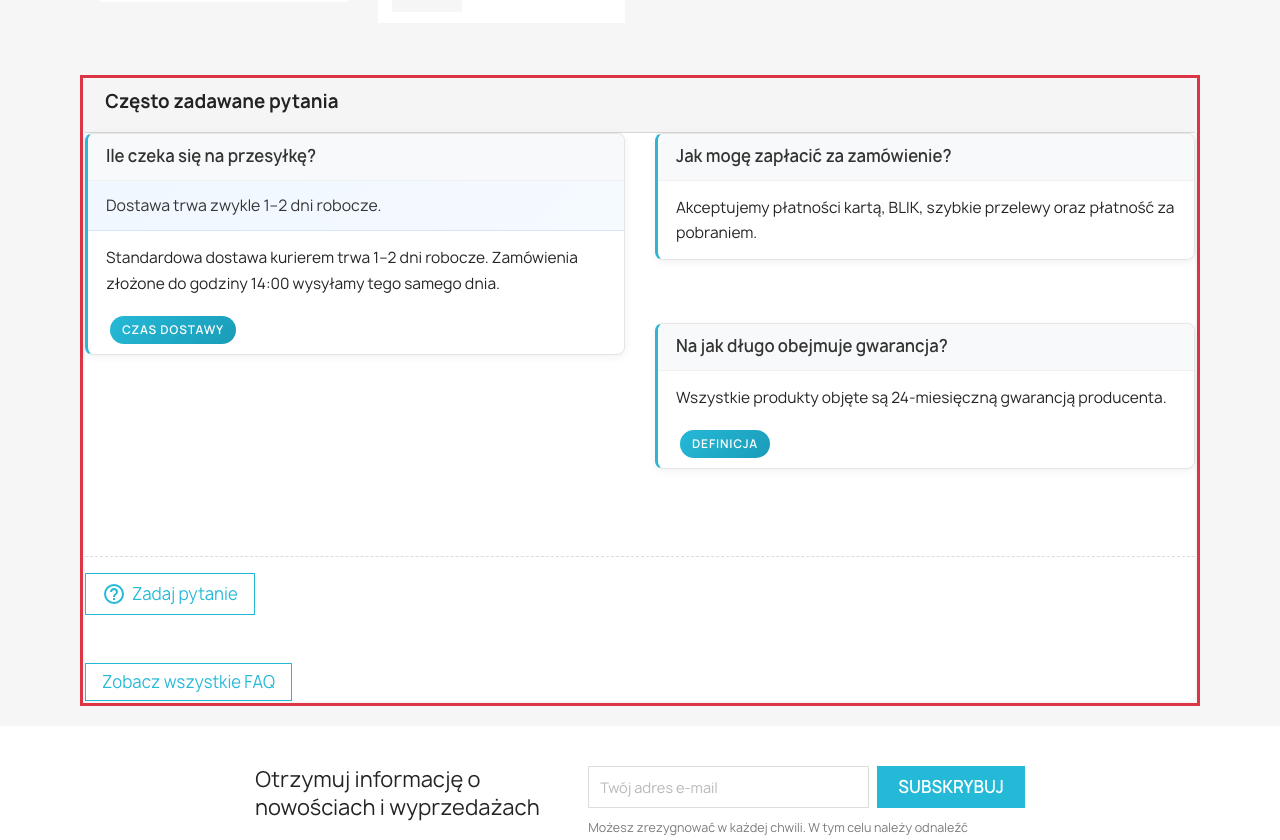
In addition to the FAQ on the product, the module provides a compact FAQ block that you can show on the home page, in the left or right column or in the footer. The block contains a list of the most important questions and a link to the full FAQ page.
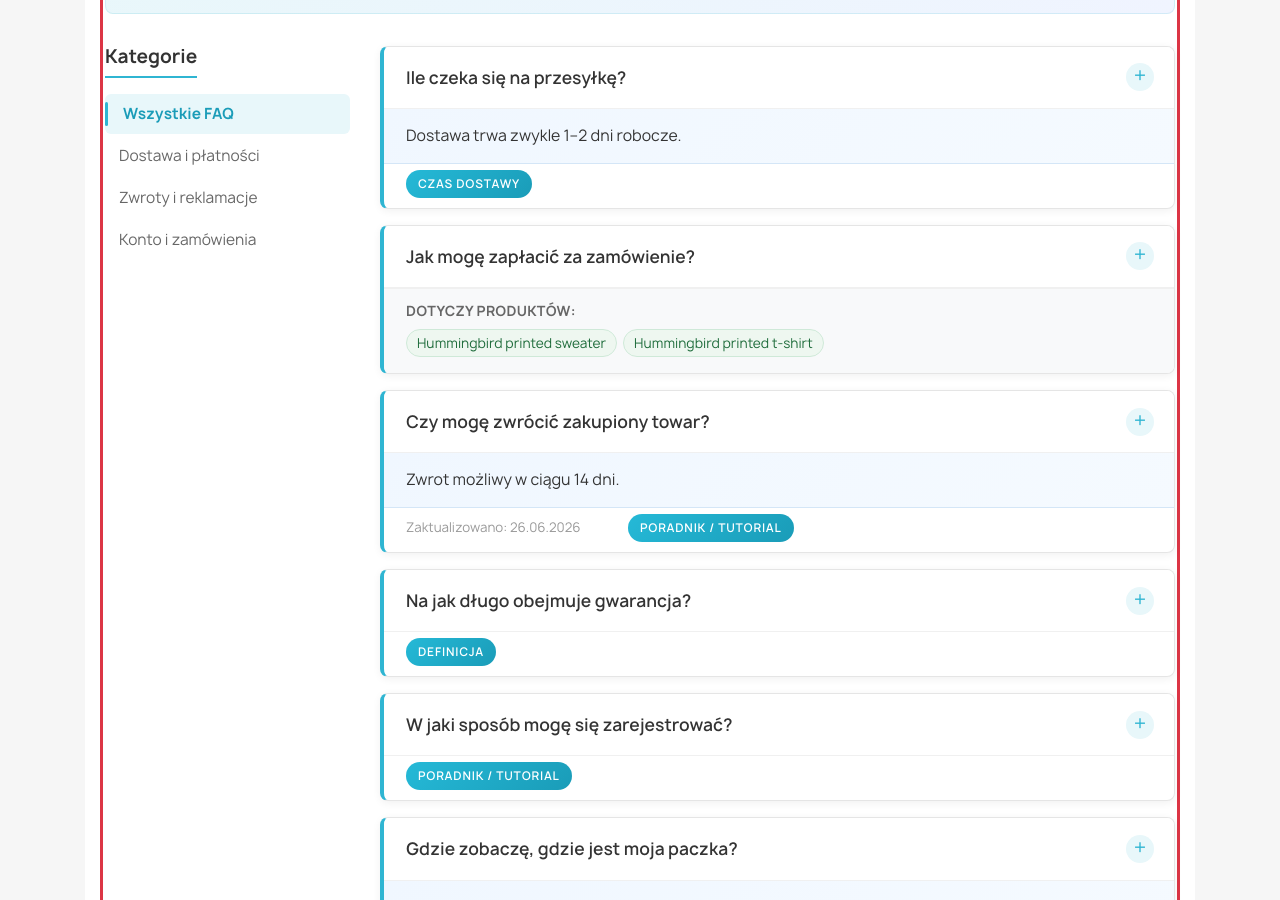
The dedicated FAQ page presents questions in an accordion, with a category list, a search box and an optional list of assigned products under each question.
CSV Import / Export
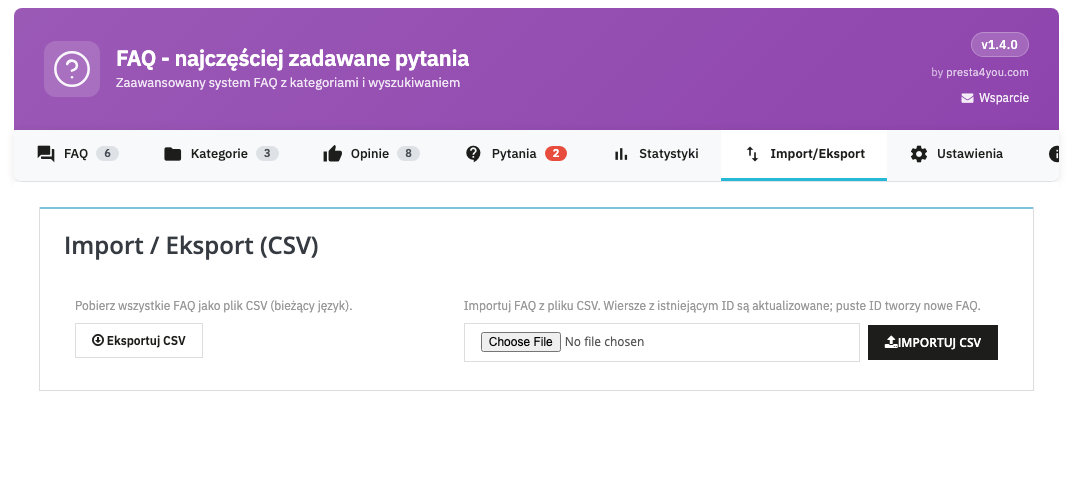
In a separate Import / Export tab you will find CSV tools. The export downloads all questions to a CSV file (in the current language), and the import lets you add or update questions in bulk — rows with an existing ID are updated, and empty IDs create new FAQs. It is the perfect tool for migration and a quick start with a large question base.
Customer view
On the product page the customer sees the FAQ in the selected mode (here: product footer) along with an "Ask a question" button.
After clicking "Ask a question", a simple form with a GDPR consent field expands.
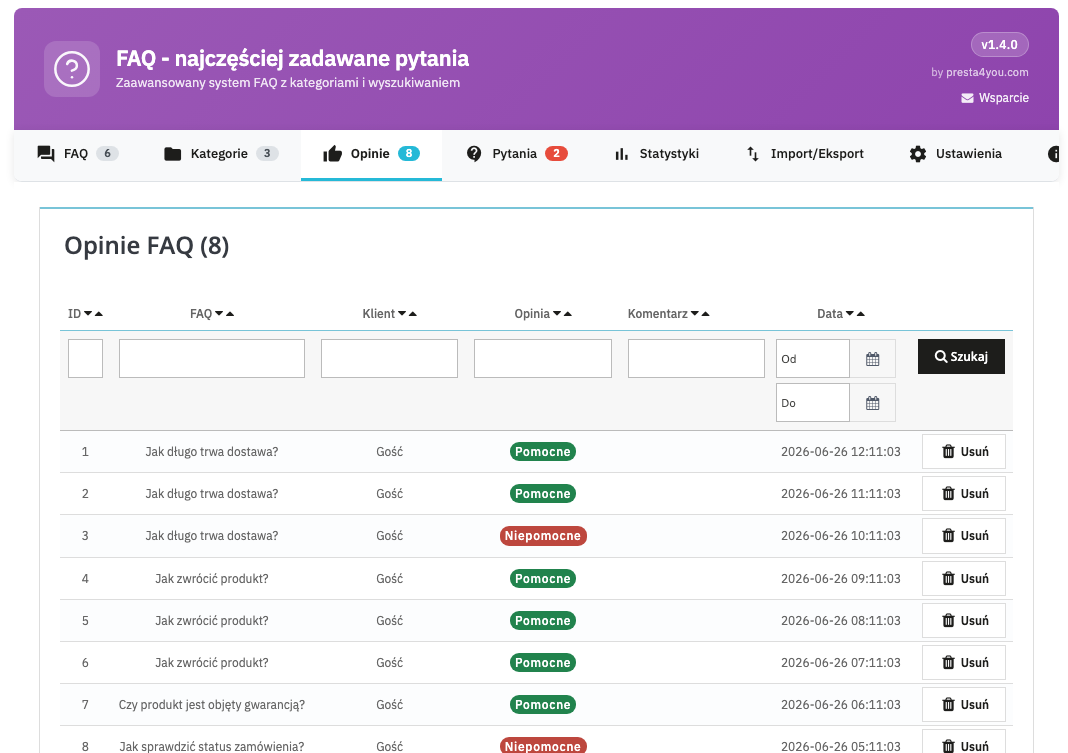
Customers can also rate how helpful an answer is (helpful / not helpful) — you will find the collected feedback in the Feedback tab.
Frequently asked questions
When editing a question you select assignment rules: specific products, a category, a manufacturer, a supplier or a feature. The module will match the question to all matching products by itself.
Yes. In the panel you answer the question and with a single click of "Publish as FAQ" you turn it into a full-fledged entry — assigned to the product it concerned.
It is structured data (JSON-LD) added automatically on the product page, thanks to which Google can show your questions as rich search results.
Yes. All content is multilingual, and the module fully supports multistore. The administration panel is entirely in Polish.
Yes — the module is compatible with PrestaShop 1.7, 8 and 9 and runs on PHP from 7.1.
Support
E-mail: info@presta4you.com
WWW: presta4you.com
Everything described in this documentation is handled by the FAQ - Frequently Asked Questions module. Installation takes a few minutes and the configuration works exactly as described above.
View the module in the storeUpdates and technical support · VAT invoice