 English
 Polish
 Français

Language Specific Product Images
Different product images depending on the customer language
Version 1.4.0 · PrestaShop 1.7 – 9Overview
In a multilingual store the same photo does not always fit every market. The Language Specific Product Images module lets you assign your normal PrestaShop product images to languages, and the store automatically shows each customer only their language's images.
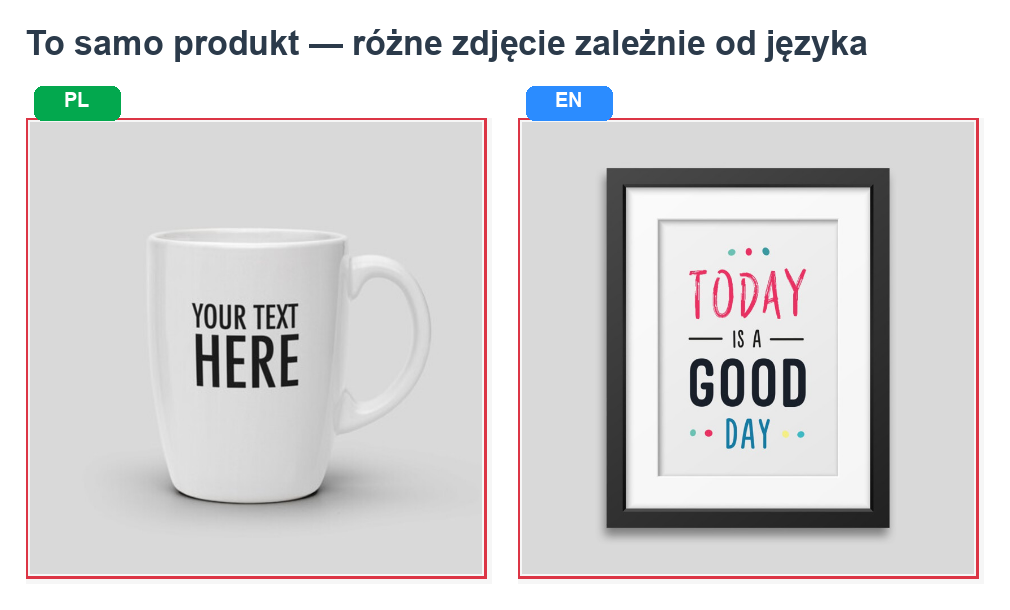
There is no separate upload — the language flags appear right on the standard image uploader in the product Description tab. Images with no flag are shared across all languages, so existing products keep working unchanged.
Key features
- Flags on every image — assign a language with one click, no separate upload.
- Filtering across the store — product page, listings, search, cart and blocks.
- Shared images — an image with no flag appears in every language.
- Language inheritance — reuse another language's images when one is missing.
- No core overrides — reuses PrestaShop's own thumbnails (crisp and fast).
- Multistore support.
Requirements
- PrestaShop 1.7, 8 or 9
- PHP 7.1 or newer
- ionCube Loader extension (version 10+)
Installation
- Admin → Modules → Module Manager → Upload a module and pick the ZIP.
- Click Configure and activate your license key
P4U-LANG-XXXX-XXXX-XXXX-XXXX. - Done — until you assign images to languages, all images show in every language.
Assigning images to languages
This is the key action, done on the standard image uploader (Description tab):
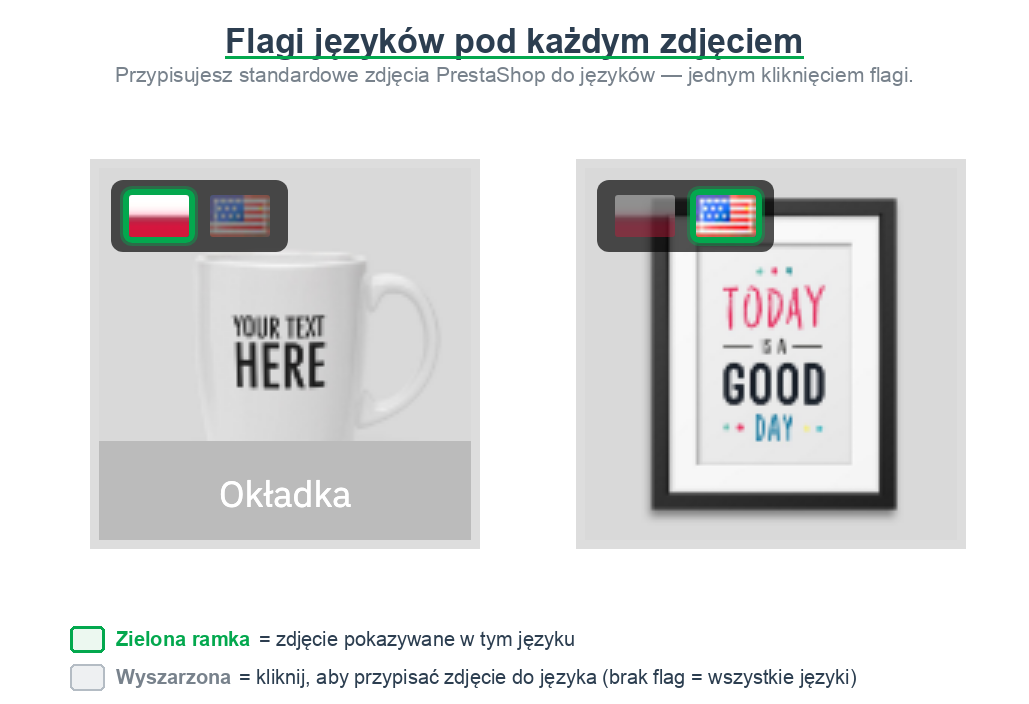
- Small language flags appear on each image (top-left corner).
- Click a flag to show that image in that language — it highlights green.
- Saved instantly. You can select several languages on one image.
- An image with no flag shows the "All languages" badge — it is universal.
Configuration
The Settings tab controls how the store filters images:
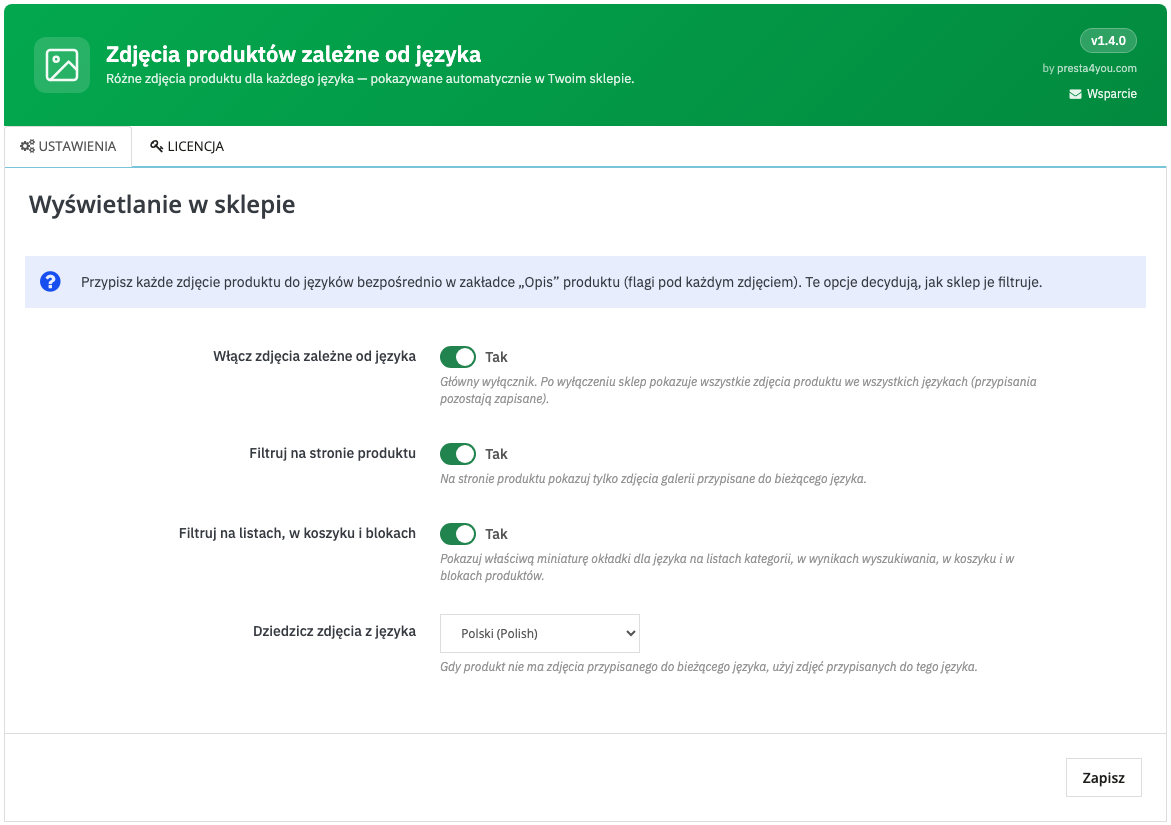
- Enable per-language images — master switch.
- Filter on the product page — gallery and cover by language.
- Filter on listings, cart and blocks — cover thumbnail by language.
- Inherit images from language — fallback when an image is missing.
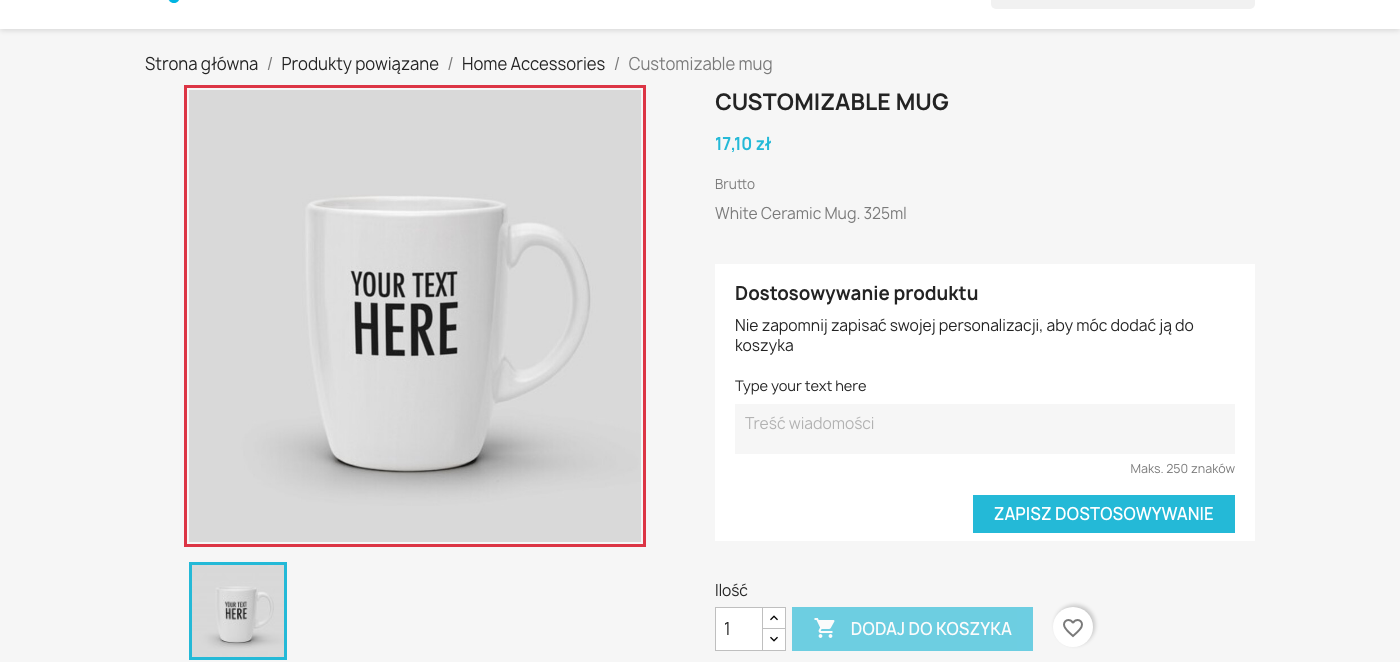
What the customer sees
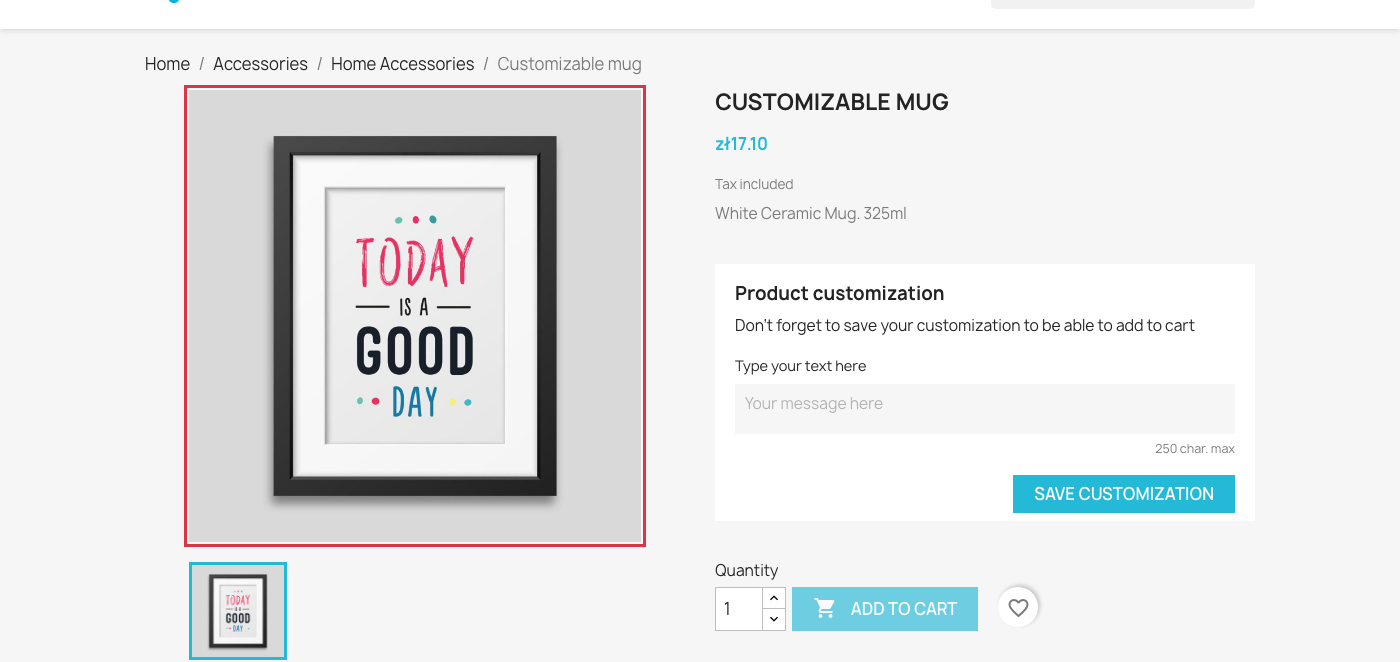
The customer simply sees images matched to their language. The same product shows a different image in Polish and English:
FAQ
Do I have to flag every image?
No. Only flag the language-specific ones; the rest are shared.
Does it override PrestaShop files?
No. It filters existing product images, no copies, no core changes.
Does it work in multistore?
Yes — assignments are per shop.
Support
Questions? info@presta4you.com · presta4you.com.
Everything described in this documentation is handled by the Language Specific Product Images module. Installation takes a few minutes and the configuration works exactly as described above.
View the module in the storeUpdates and technical support · VAT invoice